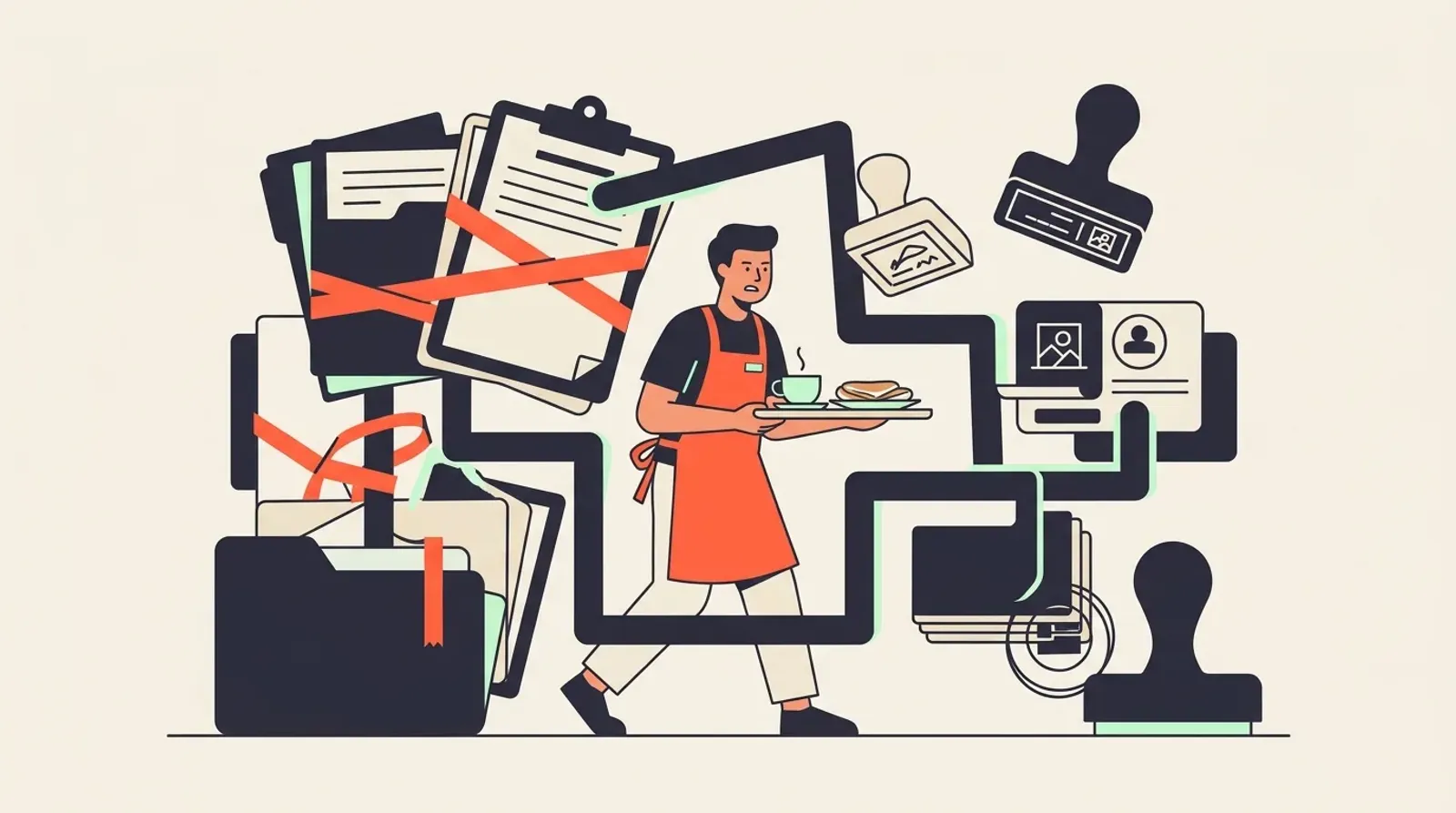
The system skims your pay and makes you wait. Here are the essential tools for gig workers who are done playing by those rules.
Tired of Being a Number? Essential Tools for Gig Workers
The System Was Built to Slow You Down — Not Help You
You showed up. You did the shift. You did everything right.
And yet — you are still waiting. Waiting for payment to clear. Waiting for a reply about next week’s schedule. Waiting for someone to explain why your earnings look different from what you were promised.
That is not an accident. The old staffing and gig system was designed around the platform’s convenience, not yours. Opaque rules buried in long terms and conditions. Pay cycles that stretch days or weeks after you have already spent the energy. Shift notifications that arrive too late to be useful. Tools that talk to each other only when the platform benefits — and go silent when you have a question.
You Did the Work. The System Made You Wait.
Every fragmented app, every delayed payout, every unanswered support ticket is friction. And friction costs you real money. When you cannot see clearly what you are owed, when you cannot plan your week because shift information is scattered, you lose time you cannot get back.
This is the emotional reality most platforms never acknowledge: you are a skilled, available worker — and the system treats you like a variable to be optimised, not a person running a working life.
The Right Toolkit Changes the Power Balance
Here is what shifts when you take control of your own tools: you stop waiting for the platform to tell you what is happening and start knowing for yourself.
That means tracking your own income, managing your own schedule, protecting your own time. It means choosing platforms that respect your effort — like FlashJobs, where the business pays the worker directly when the job ends and FlashJobs takes no cut from worker pay.
This article is not a neutral list of apps. It is a practical toolkit built for workers who are done being managed by a broken system and ready to run their working life on their own terms.
Read it like a weapon. Use what fits. Build the stack that puts you back in control.
Shift-Finding Tools That Actually Put You in Control
The broken system has a familiar pattern. You sign up, wait days for verification, browse hundreds of listings that are already filled, and then wait again — this time for pay that arrives long after you earned it. That is not a tool. That is a funnel designed to keep you dependent.
When you are evaluating any shift-finding platform, hold it to a short, practical checklist.
What to Look For
- Work near you. Dead commute time is unpaid time. Proximity is not a nice-to-have — it is part of your actual earnings.
- Fast confirmation. If a platform cannot confirm your shift within minutes, you are not in control. You are waiting in a queue.
- No prepaid lock-in. You should never pay to access work. Period.
- Straightforward onboarding. Long approval windows favour the platform, not you.
Why Speed and Proximity Beat Volume
A platform with ten thousand listings in the wrong suburb is worth less than one confirmed shift ten minutes away. Volume is a marketing number. Speed and location are operational realities. When you are building your shift-finding toolkit, filter ruthlessly for both.
Where FlashJobs Fits
FlashJobs is built as emergency staffing infrastructure for the food and beverage industry. Operators use it to fill urgent gaps — which means the shifts are real, confirmed fast, and needed immediately. For workers, that translates to nearby roles, quick placement, and same-day pay with no wage cut. There is no long onboarding queue between you and a confirmed shift.
That same-day pay commitment matters because the old system treated pay timelines as the platform’s convenience, not yours. FlashJobs removes that friction by design.
Red Flags to Walk Away From
- Pay timelines that are vague or tied to “processing cycles”
- Hidden deductions that only appear after you complete a shift
- Response windows measured in days, not minutes
- No clear answer when you ask: when exactly do I get paid?
Your time and your labour have immediate value. The tools you use to find work should reflect that — not make you prove it repeatedly to a system that was never built with you in mind.
Financial Tracking Tools So You Always Know What You Are Owed
The broken system does not want you to notice the small discrepancies. A payout that arrives two days late. A rate that looks slightly off. A deduction with no clear explanation. When your income comes from multiple sources and shifts vary week to week, those gaps are easy to miss — until they compound into a real problem.
That is why financial tracking is not optional for gig workers. It is your first line of defence.
Why Gig Income Is Genuinely Hard to Track
Salaried workers get one number on one date. You get variable hours, multiple platforms, different pay cycles, and the occasional delayed transfer. Without a system, you are always reacting — never in control.
Tools Worth Using
- Wave — Free accounting software built for freelancers and small operators. Log income by source, categorise expenses, and generate simple reports. No accounting degree required.
- Zoho Books (Free Tier) — Handles invoicing and income tracking cleanly. Useful if you work across several operators and need a paper trail for each one.
- A well-structured spreadsheet — Do not underestimate this. A simple Google Sheets template with columns for shift date, operator, gross pay, deductions, and net received gives you instant visibility. Many experienced gig workers swear by it.
Track Gross vs Net — Every Single Time
Log what you were promised, then log what actually landed in your account. When those numbers drift apart consistently, you have evidence. Gut feelings do not hold up. Records do.
Set Payment-Due Alerts Before Transfers Go Overdue
Build a personal alert system. When you complete a shift, note the expected payment date in your calendar or task app. Flag it three days before it is due. Chasing a late payment on day one is a quick message. Chasing it on day fourteen is a dispute — and disputes cost you time and energy you cannot afford.
The FlashJobs Difference
Platforms that make you wait are a known frustration in the industry. FlashJobs operates on same-day pay, which means one less overdue transfer to chase. When you use FlashJobs alongside a clean tracking system, you close the gap between work completed and money received — and you stay in control of your own financial picture.
Tax and Expense Tools That Protect Your Take-Home Pay
Most gig workers lose money at tax time — not because they earn too much, but because they never tracked what they were owed back.
The broken system wins here quietly. No employer reminds you to log expenses. No payslip separates your costs from your income. By the time you file, the receipts are gone and the deductions are lost.
You can beat that with the right habits and the right tools.
Know Your Obligation First
As a gig worker in Malaysia, you are self-employed. That means no PCB (Potongan Cukai Bulanan) is deducted from your pay. You are responsible for your own tax under the self-assessment system, filing annually through the LHDN e-Filing portal. Missing this is not just an oversight — it carries penalties.
If your income crosses the chargeable threshold, you may also need to make CP500 instalment payments. Check the LHDN portal directly for current thresholds and deadlines. Do not rely on secondhand advice here.
Tools That Do the Heavy Lifting
Receipt capture and expense tracking:
- Dext (formerly Receipt Bank) lets you photograph receipts the moment you spend. It extracts the data automatically and keeps a clean audit trail.
- AutoCount is a Malaysian-built accounting tool popular with small operators and freelancers. It handles expense categorisation and is familiar to local accountants.
Either option beats a folder of crumpled receipts in your bag.
Expenses Gig Workers Commonly Miss
These are legitimately deductible for self-employed individuals — but only if you can prove them:
- Transport costs — fuel, tolls, ride-hailing fares to and from jobs
- Mobile data — a portion of your phone plan used for work
- Equipment — tools, uniforms, or devices required for the job
- Platform or service fees — any cut taken before your pay reaches you
Consult a licensed tax agent or refer to LHDN guidance to confirm what applies to your specific situation.
Start Tracking From Day One
Fixing your records at year end is painful and imprecise. Starting a simple log from your first shift takes minutes and saves hours later.
The system was never designed to remind you. That is the point. Take control of your own numbers early, and your take-home pay reflects the work you actually did — not the deductions you forgot to claim.
Time and Schedule Management Tools for Flexible Workers
The broken system doesn’t just steal your money — it steals your time. Disorganised scheduling is one of the most silent killers of a gig worker’s income. A missed shift means lost pay. A double-booking means a damaged reputation. Back-to-back jobs with zero buffer leave you rushing, exhausted, and making mistakes that cost you future work.
The fix isn’t complicated. It starts with treating your schedule like a business asset.
Google Calendar: Your Shift-Blocking Foundation
Google Calendar is free, syncs across devices, and does one critical job well — it shows you exactly where your time is committed. Block every confirmed shift as an event. Add travel time before and after. Colour-code by job type or location. When a new opportunity comes in, you see instantly whether you can take it without overcommitting.
This single habit eliminates double-bookings almost entirely.
Toggl Track: Know Where Your Hours Actually Go
Toggl Track lets you log time across multiple jobs with one tap. Over a few weeks, patterns emerge. You will see which shifts eat more hours than they pay for — long commutes, slow setups, unpaid waiting time baked into the role. That data helps you make smarter decisions about which work to accept.
Build a Weekly Availability Template
Sit down once and map your realistic working hours for a typical week. Mark your hard stops — family commitments, rest days, recovery time. What remains is your true availability window. Keeping this template updated means you can respond to shift opportunities faster and with confidence, especially when nearby work appears at short notice.
Workers who know their availability precisely are the ones who fill shifts quickly on platforms like FlashJobs, where operators need reliable staff within a tight window.
Always Build in Buffer Time
Back-to-back bookings feel productive. They rarely are. A 30-to-45-minute buffer between shifts gives you travel margin, a meal, and mental reset time. Arriving at a shift flustered and late is worse than declining it. Quality and reliability are your professional reputation — protect them.
Organised scheduling is not about working more hours. It is about working the right hours, showing up sharp, and building a track record that keeps opportunities coming to you.
Communication Tools That Keep You Professional and Protected
The broken system has a favourite trick: when a pay dispute happens, it becomes your word against theirs. No written record. No timestamp. No proof. You lose — not because you were wrong, but because you were unprepared.
Clear, documented communication is your defence. It costs nothing and takes minutes to set up.
Set Up a WhatsApp Business Profile
WhatsApp Business is free and takes less than ten minutes to configure. Use it for all operator communication — separate from your personal number. You get a professional profile, auto-replies for when you are unavailable, and most importantly, a clean, searchable message history.
When every shift confirmation lives in one dedicated account, finding the evidence you need takes seconds, not hours.
Keep a Shift Log — Even a Simple One
A Google Doc or Notion page works perfectly. After every shift, record:
- Date and location of the shift
- Confirmed start and end time (screenshot the message)
- Who confirmed the booking (name or contact)
- Pay agreed and when payment was received
This is not paranoia. It is professionalism. A timestamped log turns a vague dispute into a clear, documented timeline that speaks for itself.
Save Every Confirmation and Receipt
Screenshot shift confirmations the moment they arrive. Save pay receipts immediately. Store them in a dedicated folder — Google Photos, Google Drive, or your phone’s downloads folder. If a platform ever claims a shift was cancelled or a payment was processed, you have the receipts to prove otherwise.
Why This Matters More Than You Think
When you work through a platform that moves fast — like FlashJobs, where operators fill emergency shifts within roughly 90 minutes and businesses pay workers directly when each job ends — the pace is an advantage. But speed only stays on your side when your records keep up. A quick screenshot after each confirmed shift and a logged pay receipt means you are always protected, no matter how fast the day moves.
Documentation does not slow you down. It is what lets you move fast with confidence.
The broken system counts on you forgetting. Do not forget.
Navigation and Commute Tools That Cut Dead Time
Every minute you spend stuck in traffic or hunting for parking is unpaid time. For gig workers, the commute is not a neutral cost — it eats directly into your effective hourly rate. Getting this right is not a comfort decision. It is a financial one.
Start With Location Before You Start the Engine
The most powerful navigation tool you have is shift selection itself. Accepting a shift close to where you already are — or where you live — eliminates the problem before it starts. This is exactly why FlashJobs surfaces nearby work as a core feature, not an afterthought. When a shift appears within your area, you spend less time travelling and more time earning.
Waze vs Google Maps on Malaysian Roads
Both apps are free and genuinely useful, but they behave differently in practice.
Waze tends to win for real-time incident reporting in dense urban areas like KL and PJ. Its community-driven alerts flag police roadblocks, accidents, and sudden jams faster than most alternatives. For F&B shift workers navigating peak-hour city routes, that live update layer matters.
Google Maps is stronger for route reliability and offline map downloads — useful if you are heading to an unfamiliar industrial area or a suburban outlet with patchy data coverage.
The honest answer: run both on your first visit to a new location, then stick with whichever matches your usual routes.
Track Your Mileage — It Adds Up Fast
If you travel between multiple sites in a week, mileage tracking is not optional. Apps like MileIQ and TripLog log trips automatically in the background and produce clean reports you can use for expense claims or tax records. The manual alternative — a notes app and a prayer — will cost you money eventually.
The Shift Worth-It Check
Before accepting any shift, run a quick mental calculation:
- Gross pay for the shift
- Minus estimated fuel or toll cost (Waze gives you a rough distance)
- Minus unpaid travel time valued at your target hourly rate
If the number feels thin, it probably is. Choosing well beats commuting far for a marginal return. The broken system wants you to say yes to everything. Your job is to say yes to the right things.
Safety and Wellbeing Tools No One Talks About
Most gig worker guides stop at budgeting apps and tax tools. They skip the part that quietly drains you the most — the uncertainty.
Your Physical Safety Comes First
Solo night shifts carry real risk. A few simple habits make a measurable difference:
- Share your live location before you leave. Google Maps and WhatsApp both let you share real-time location with a trusted contact for a set time window.
- Check-in apps like bSafe let you set a timer. If you do not check in, your emergency contact gets an alert automatically.
- Screenshot your shift details — the address, the operator name, the start time — and send them to someone before you arrive.
These take two minutes. They matter.
The Mental Load Nobody Measures
Physical safety is visible. Mental load is not.
Platform anxiety is real. Waiting to find out if you got the shift. Waiting to find out when you get paid. Waiting to find out if your hours were logged correctly. That constant low-level uncertainty is exhausting, and it compounds over time.
The broken staffing system was never designed to reduce your anxiety. It was designed around its own convenience — not yours.
Reduce Uncertainty by Choosing Better Infrastructure
The most underrated wellbeing tool is choosing platforms that give you clear answers upfront.
Ask yourself before accepting work through any platform:
- Do I know exactly when I get paid?
- Do I know the shift is confirmed, or am I still waiting?
- Can I contact the operator directly if something goes wrong on-site?
These are not luxury questions. They are basic operational clarity.
FlashJobs is built around a 2-hour SLA for shift confirmation and same-day pay — because waiting two days to find out if your money is coming is not a neutral experience. It costs you sleep, focus, and trust. Workers who take shifts through FlashJobs also get nearby work, which cuts commute stress and the dead time that makes irregular schedules feel punishing.
Choosing Infrastructure Is a Wellbeing Decision
Every tool you add to your stack is a vote for how you want to work. Choosing platforms with clear rules, fast confirmation, and honest pay timelines is not just smart financial management.
It is how you stop being a number — and start being in control.
Build Your Stack: A Practical Starting Point for Malaysian Gig Workers
You do not need a dozen apps. You need four things working together — and you need them chosen deliberately, not by accident.
The Minimal Stack That Actually Works
Start here and add only when you feel a real gap:
- One shift platform — where you find and confirm work
- One income tracker — a spreadsheet or app where every shift, every ringgit goes on record
- One calendar — a single source of truth for your schedule, synced to your phone
- One communication log — a dedicated space (even a simple email thread or chat folder) where job confirmations and operator messages are saved
That is it. Four tools. Simple to maintain, easy to audit.
Free vs Paid: What You Actually Need to Buy
Almost nothing, at least when you are starting out. Google Calendar, Google Sheets, and WhatsApp are free and sufficient for most solo gig workers managing their own schedule. The goal is consistency, not sophistication. A free tool you use every day beats a paid tool you ignore.
Upgrade only when a specific problem — tax reporting, multi-client invoicing, route planning — becomes a real cost to your time or income.
The One Non-Negotiable
Here is where the broken system hurts workers most: shift platforms that hold your pay for 14 or 30 days. That is not a payment schedule. That is a float you are funding for someone else.
The one tool in your stack that cannot compromise is your shift platform — and the minimum standard is same-day pay. If your cash flow depends on a 30-day cycle, you are not running a flexible income. You are running a credit risk.
This is the operational standard FlashJobs is built on. Workers pick up nearby F&B shifts and get paid the same day. No float. No chasing. No waiting to find out what you are actually owed.
Your Next Step
You have the framework. Now put the non-negotiable first.
Workers who want nearby F&B shifts with same-day pay can get started at flashjobsapp.com.
Build the rest of your stack around a foundation that actually pays you on time — and the whole system gets easier from there.
Looking for paid jobs near you? FlashJobs connects you with nearby F&B and hospitality jobs — the business pays you directly and FlashJobs takes no cut. Register early.