F&B staffing · Kuala Lumpur
One person short.
Service still starts.
Post the role, hours, venue, and rate. Nearby workers can apply, you review their profiles, and you decide who joins the team.
You pay workers directly after each job. FlashJobs never holds their wages.
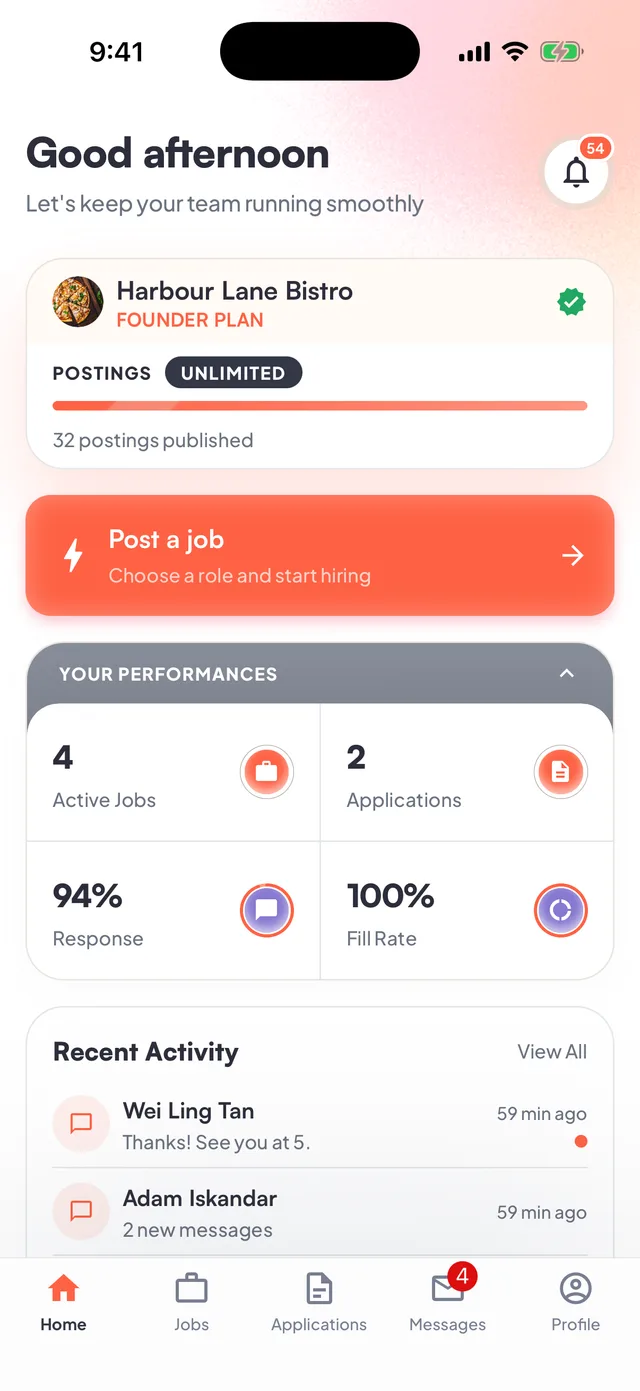
From gap to confirmed worker
Built around the decision you actually need to make.
- Before service
Publish the exact job
Set the role, location, start and end time, headcount, and pay. A complete listing can be live in under a minute.
- As applications arrive
Review real work records
See relevant experience, ratings, completed jobs, punctuality, and reliability before choosing anyone.
- When the job ends
Pay the worker directly
Use the payment method stated on your listing. FlashJobs does not sit between the worker and their wages.
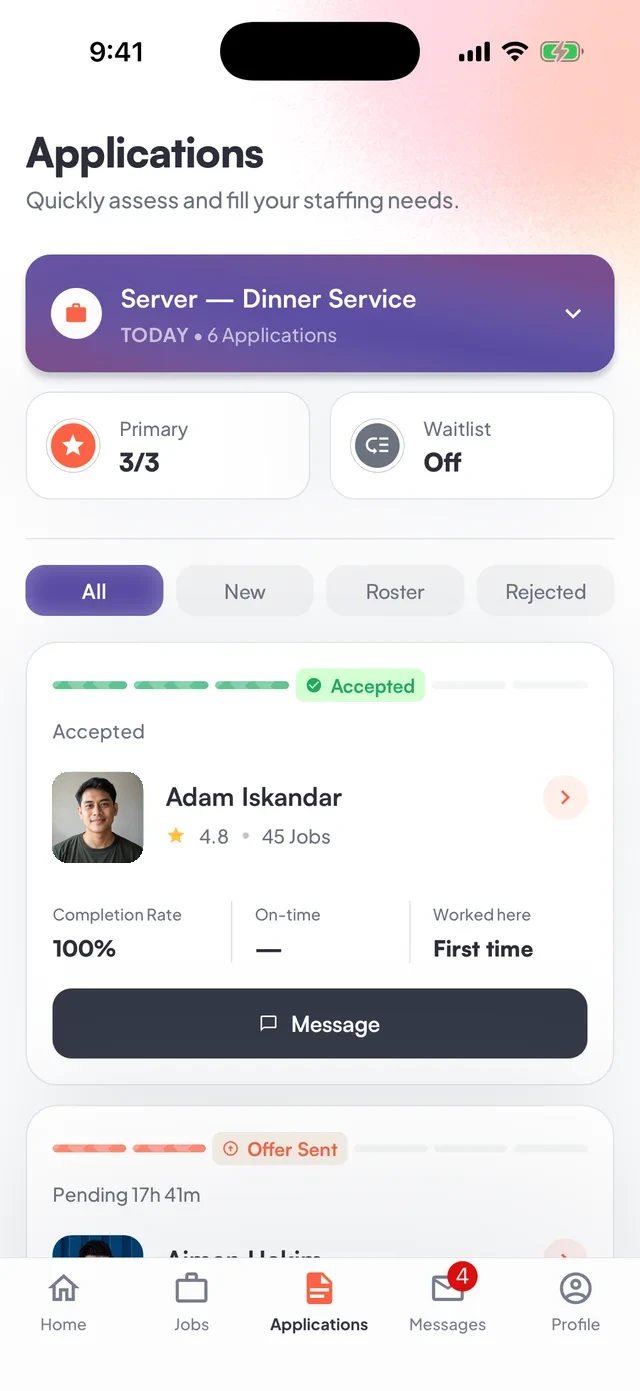
Less guesswork before you hire
A name in a group chat tells you nothing.
FlashJobs gives every application context. Look at the worker’s experience and record, then make the call yourself.
- Relevant experienceKnow whether their background fits the role.
- Completed jobsSee a work history built through actual jobs.
- Punctuality and ratingsUse previous outcomes instead of a promise in a message.
Currently focused on F&B and hospitality
The people a busy venue needs.
Straight answers
Before you post
What can I hire for?
FlashJobs currently focuses on daily F&B and hospitality roles such as service crew, baristas, kitchen crew, event staff, and venue support.
How quickly can I publish a job?
Set the role, venue, hours, headcount, and rate in the app. A complete listing can be live in under a minute.
What can I see before choosing a worker?
Each profile shows completed jobs, punctuality, and ratings from previous businesses—all recorded through FlashJobs, not self-reported—alongside the experience and skills the worker has listed. You choose who to confirm.
Who pays the worker?
Your business pays the worker directly on the same day, after the job ends, using the payment method shown on the listing. FlashJobs does not hold or process worker wages.
What if a worker does not show up?
When you complete the job, choose “Didn't show up” beside that worker instead of entering hours. They will not be included in the payment total, and FlashJobs will record a no-show report on the job. The worker has two hours to dispute the report. Disputed reports may be reviewed by FlashJobs, with account-level action taken where appropriate.
How do I complete or repost a job?
After the job ends, tap Mark complete, review or correct each worker's hours, mark any no-shows, pay the workers directly, and confirm that payment has been made. The job then moves to Completed. To run it again, tap Repost; FlashJobs copies the previous details into a new draft so you can choose a new date, review the listing, and publish it.
What if I need to cancel a job?
Open the job's Manage menu and choose Cancel job. Cancellation cannot be undone, and any confirmed workers will be released from the job, so cancel as early as possible and contact affected workers when appropriate.
How do I get account support?
Report job, attendance, payment, or account issues in the app. You can also contact FlashJobs at hello@flashjobsapp.com or through WhatsApp. Include the job and worker details so the team can review the right records.
What if something goes wrong with a job?
Report the issue in the app. FlashJobs may review what happened, help both sides communicate, and take account-level action where appropriate. Because you pay the worker directly, FlashJobs cannot issue or reverse the payment.
How much does FlashJobs cost?
FlashJobs uses a flat monthly subscription with no commission on worker pay. Today, that subscription covers your job postings with no per-job charge. Current pricing and what is included are always shown in the app before you subscribe.
The same app, built for both sides
Post the job before the gap gets expensive.
Download FlashJobs on iOS or Android, or message us if you want to talk through your first post.